
WFAA - News from North Texas
TEGNANews & Magazines
4.22.77K Reviews
- Version
- 50.23.2
- Installs
- 500.00K
- Age Rating
- Everyone
Screenshots


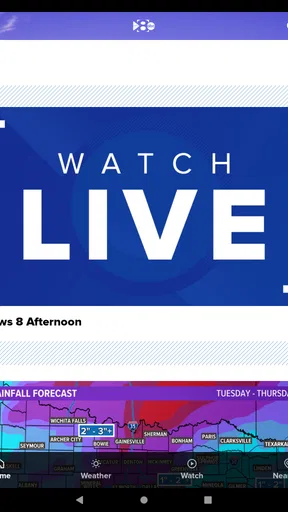
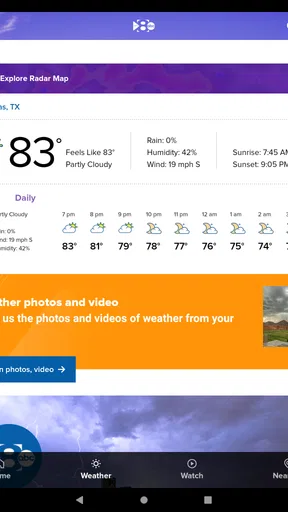
Our Review of WFAA - News from North Texas
 Analysis by Appyee
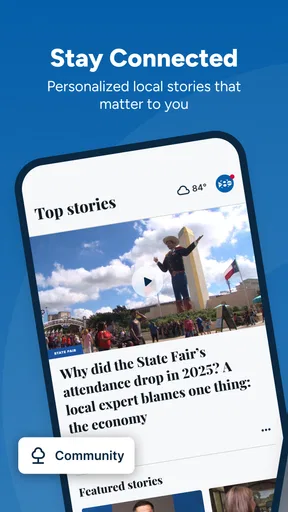
When I want a quick view of what is happening around North Texas, I would rather open a focused local news app than sort through a national feed and hunt for relevant stories. WFAA is built for that narrower job, bringing together local news, weather, sports, and traffic from TEGNA’s WFAA operation and WFAA.com. After spending time with it, I see it as a practical companion for people who live in the area, work there, commute through it, or simply want a local source close at hand.
That focus is both its main strength and its clearest boundary. This is not an all-purpose reading app, and it is not trying to replace every national publication, weather service, or specialized sports source. Its value comes from reducing the distance between the reader and North Texas events. The app is free, rated for Everyone, and available for Android devices running at least version 7.1 of the operating system. That broad compatibility makes it easy to consider even if you are using an older phone.
How I Decided Whether WFAA Was Worth Keeping
I judged the app by a simple question: does it help me make a local decision faster? For a news app like this, I care about how quickly I can identify important regional stories, whether weather and traffic are easy to reach, and whether the amount of information feels manageable on a busy day. I also look at whether the app has a clear reason to exist beside a browser, a general news reader, or a dedicated weather tool.
WFAA makes the most sense when your definition of “important” starts with North Texas. A national app might give you more international coverage, more opinion pieces, or a broader range of subjects, but it can bury a local road problem or regional development under stories from elsewhere. Here, the local emphasis is the organizing principle rather than a small section hidden inside a much larger service.
I also considered how different people would use it. A commuter may open it for a quick traffic check before leaving. A parent may want local weather context before planning an outdoor activity. Someone new to the area may use it to build a basic habit of following regional events. A reader who mainly wants national politics, business reporting, or a wide selection of magazines will probably need another app alongside it.
The app has a 4.2 average from around 9.5 thousand ratings, with roughly 2.8 thousand written reviews. It has reached more than 500 thousand installs, which suggests that it has found a substantial audience without making popularity the only reason to use it. I treat those figures as useful context, but the real test is whether the local focus matches your daily routine.
A useful morning routine for local decisions
My preferred way to use WFAA is as a short morning check rather than an endless scrolling session. I would open it before leaving home, scan the main local headlines, check the weather situation, and look for anything that could affect the route or timing of the day. That workflow is more useful than opening the app repeatedly without a purpose because it turns the local coverage into a practical briefing.
The combination of news, weather, sports, and traffic matters here. Each section answers a different question, but they belong to the same regional context. A storm story may change a commute. A major local event may affect roads. Sports coverage may be the reason one member of a household opens the app while another comes for weather. Keeping those interests together makes the app more convenient than maintaining several unrelated local bookmarks.
One tip I would give new users is to decide what they want from the app before judging its layout. If you want a fast local overview, a focused scan works well. If you expect a deep archive, extensive customization, or the breadth of a large national publication, the experience may feel limited even when the local reporting is relevant.
Where the local focus genuinely wins
The strongest advantage is relevance. A general news reader is excellent at collecting many subjects, but it often requires active filtering. WFAA starts closer to the information a North Texas resident is likely to need. That saves attention, especially when I am checking the phone between errands or trying to understand whether something happening nearby affects my plans.
The app is also a better fit than a browser shortcut for someone who wants a repeatable local habit. A browser can reach WFAA.com, but an app places the service in the same space as the rest of the phone’s daily tools. That small difference matters when the goal is a quick check rather than a deliberate browsing session. I am more likely to look at a dedicated local app during a busy day than to open a browser, enter a site, and navigate from there.
Another quiet strength is the connection between categories. Local news is not isolated from weather, traffic, or sports in real life, and the app reflects that relationship. If I am deciding whether to attend an event, drive across the area, or follow a local team, I can begin in one section and move to another without changing services. That does not make it a replacement for every specialist tool, but it makes it a useful first stop.
For people who have recently moved to North Texas, the regional concentration can also help establish a sense of place. National apps explain what matters across the country; a local outlet helps a new resident learn which stories, conditions, and events shape the immediate area. I would recommend it to someone who wants a simple starting point rather than a complicated collection of local sources.
What I would watch during weather and traffic checks
I would not treat the app as a substitute for personal judgment when conditions are changing quickly. A local news app can help me understand the situation, but driving decisions still depend on what I see on the road, official instructions, and the timing of updates. The useful habit is to check before leaving and again if plans change, rather than assuming one glance will remain current for the whole day.
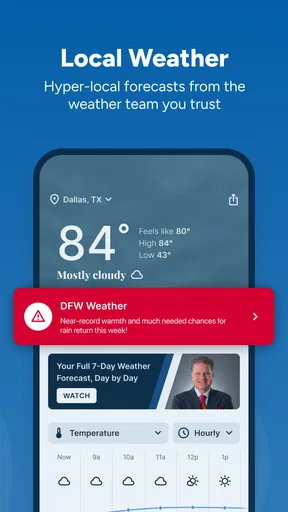
The same applies to weather. WFAA is valuable for local context because weather affects North Texas differently from a generic national forecast, but I would still compare the information with the conditions outside and any official emergency guidance when the situation is serious. The app is best viewed as an accessible local information layer, not as permission to ignore changing circumstances.
A less obvious trade-off is that combining several local topics can make the app feel broader than a single-purpose tool without making it as deep as one. A dedicated traffic service may be more suitable for someone whose only concern is route planning. A specialist weather app may offer a more detailed forecasting workflow. WFAA wins when I want a regional snapshot that connects those subjects, not when I need the most specialized treatment of one subject.
Choosing Between WFAA and Other Ways to Follow North Texas
When I compare WFAA with other ways of following North Texas, I focus less on which option has the most content and more on which one I’ll actually open when a local decision is coming up. A broad reader, browser shortcut, or specialist service can each make sense depending on whether I value range, simplicity, or detail. The useful question is how much of my regular reading is genuinely local.
When a general news reader is the better choice
If my day begins with national business, international events, technology, and local news in equal measure, a general news reader may be more efficient. It can bring many publishers and subjects into one feed, which is useful for readers who want breadth first. The compromise is that North Texas stories may receive less attention, and I may need to search or filter more often to find what is immediately relevant.
WFAA is the better choice when local relevance is the first filter. The general alternative is better when I want one broad information dashboard and do not mind spending time separating regional stories from everything else. There is no need to choose only one: using a broad reader for national coverage and WFAA for local awareness is a sensible combination.
When a browser shortcut is enough
A browser shortcut can be perfectly adequate for an occasional reader. If I check local news only once every few weeks, I may not need a separate app. The browser also keeps my phone’s app collection smaller and lets me move between different sources easily.
The dedicated app becomes more useful when local news is part of my everyday routine. Its purpose is convenience and habit, not magic. If I already visit WFAA.com several times a day and prefer browser tabs, installing the app may not change much. If I want a more direct entry point for a morning check, the app has a clearer advantage.
When specialist weather, traffic, or sports tools fit better
Readers with one dominant need should be honest about that need. Someone who plans every trip around detailed traffic information may prefer a navigation-focused service. Someone who follows forecasts closely may want a weather-first product. A dedicated sports service may suit a fan who wants extensive scores, schedules, and analysis rather than a local news perspective.
WFAA is more balanced than specialized. That balance is useful for households with different interests and for people who want to understand the local day in one place. It is less convincing for a user who expects one category to receive the depth and controls of a dedicated specialist app. In my view, the app should be the local starting point, while specialist tools can handle high-detail tasks.
The practical cost of switching
Because WFAA is free, the main cost of switching is not money. It is attention and habit. I would need to decide whether to replace an existing local source, use both for a while, or keep the app as a backup. That makes experimenting relatively easy, especially for someone who is unsure whether a focused local feed will fit their routine.
The app was released on December 17, 2010, and its current version is 50.23.2. Those details matter less than how comfortably it fits a current phone, but they show that this is an established app rather than a brand-new experiment. I would still keep expectations realistic: a long-running local app can be dependable for its core purpose without offering every modern feature found in large, highly customizable platforms.
For an older Android phone, the minimum operating system requirement of 7.1 is worth checking before installation. For most compatible users, the free price removes the usual trial barrier. I would install it, use it during a normal week, and pay attention to whether the local coverage actually changes my decisions. If I keep opening it only out of habit and never use the information, uninstalling it costs little.
Small habits that make the app more useful
I found that the best results come from using the app with a purpose. First, I would scan local headlines before checking national feeds, because that prevents nearby events from being overlooked. Second, I would use the weather and traffic sections together when I have a time-sensitive trip, instead of treating them as unrelated tabs. Third, I would return after a major change in plans rather than relying on an old morning impression.
Another useful approach is to separate awareness from verification. WFAA can alert me to a developing local issue or give me the context to investigate further. For decisions involving safety, travel disruptions, or official instructions, I would confirm the latest guidance through the appropriate authority. That workflow keeps the app valuable without asking it to do a job it was not designed to do.
I would also avoid judging it by the standards of a national magazine app. The point is not to provide an enormous reading library. The point is to make North Texas coverage easier to reach. Once I accept that, the narrower scope feels intentional rather than incomplete.
Who should install it, and who should skip it
I recommend WFAA to North Texas residents who want a convenient local news habit, commuters who need regional awareness before heading out, and readers who like having weather, sports, traffic, and news connected in one app. It is also a reasonable first local source for someone learning the area and looking for a straightforward way to follow what is happening nearby.
I would skip it if my main goal is international coverage, a deeply personalized multi-source feed, or highly specialized tools for navigation, forecasting, or sports statistics. I would also skip it if I already have a local routine that is faster and more informative for my specific needs. Installing another app only helps when it reduces friction rather than adding another place to check.
My final recommendation is positive but specific: use WFAA as a focused North Texas briefing, not as your only source for every kind of news. Its free access, Everyone age rating, established presence, and broad Android compatibility make trying it easy. The 4.2 average and sizable user base support that it works well for many people, but the deciding factor should be local relevance.
After using it, I would keep it on my phone if local conditions influence my day. It gives me a practical first look at regional news, weather, sports, and traffic without making me search through a much wider feed. If North Texas is the information you need most often, this app earns a place in your daily check; if it is only a small part of what you read, a broader alternative may serve you better.
Verdict
Strengths of WFAA - News from North Texas
- Covers breaking news and weather across the North Texas region.
- Local reporting provides useful community-focused context.
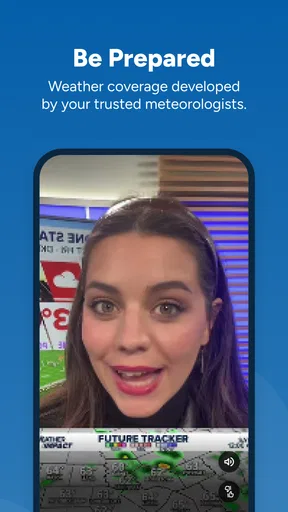
- Weather updates help users prepare for changing conditions.
- Video content makes major stories easier to follow.
- Trusted station branding adds credibility to local coverage.
Limitations of WFAA - News from North Texas
- Coverage may feel limited for users outside the North Texas area.
- Frequent alerts can become distracting without notification controls.
- Some stories may require several taps to find full details.
- Video and live content can use significant mobile data.
- Advertising may interrupt browsing and reduce reading comfort.
Other Releases by TEGNA
View All
KARE 11 News
News & Magazines4.2

Cleveland News from WKYC
News & Magazines4.2

Knoxville News from WBIR
News & Magazines4.6

Arkansas News from THV11
News & Magazines4.5
Similar Picks in This Category
View All
Google News - Daily Headlines
Google LLC4.0

X
X Corp.4.8

Flipboard:Your Social Magazine
Flipboard3.4

Opera News: breaking & local
Opera4.5

Hindi News by Dainik Bhaskar
Dainik Bhaskar Group4.0

Way2News Daily News App
Way2News ( Formerly Way2SMS )4.6
Frequently Asked Questions
What is WFAA - News from North Texas?
WFAA - News from North Texas is a local news app focused on the Dallas–Fort Worth area and surrounding communities. It provides access to breaking news, local reporting, weather updates, traffic information, sports coverage, videos, and other regional stories. The app is designed for users who want North Texas news in one place rather than relying only on a mobile browser or social media feeds.
What type of content can I find in the WFAA app?
The app typically includes local and national headlines, crime and public safety reports, politics, education, business, entertainment, sports, and community stories. Users can also find weather forecasts, radar information, severe-weather alerts, traffic updates, live coverage, video reports, and photo galleries. Available sections and features may change over time as WFAA updates its coverage and app design.
Does WFAA - News from North Texas provide live news and weather alerts?
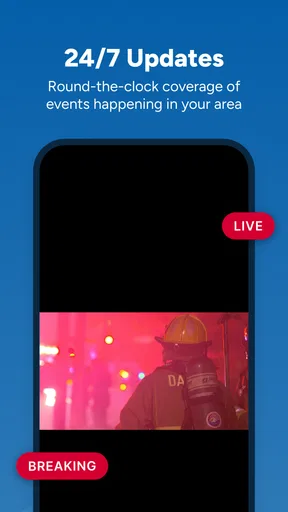
Yes, the app is intended to support live and rapidly updated coverage, especially during breaking-news events, severe weather, major traffic incidents, and local emergencies. Depending on your device settings, you may receive push notifications for important developments. Weather tools can be particularly useful in North Texas, but users should still follow official emergency services for urgent instructions and evacuation information.
Is the WFAA app free to download and use?
WFAA - News from North Texas is generally available as a free download, allowing users to browse news stories, watch selected videos, and access local information without purchasing the app. However, the app may contain advertising, and some content or features could depend on internet access, location, account settings, or changes made by the publisher. Check the relevant app store listing for current availability and terms.
What permissions and internet connection does the WFAA app require?
The app needs an internet connection, either through Wi-Fi or mobile data, to load articles, videos, live streams, forecasts, maps, and updated alerts. It may request notification permission so it can send breaking-news messages, and location access may be offered for more relevant weather or local information. You can review or change these permissions in your Android or iOS settings after installation.
